

Digital products are any product delivered to the customer electronically. Think eBooks, design templates, print-on-demand prints, fonts, or social media templates. No dealing with physical inventory or shipping headaches. This means less overhead and higher profit margins for people who sell them.
And if you’re looking to earn money online, then it’s a practical and obvious choice to sell digital products, particularly on Etsy. To help you out, I made a guide on how to sell top Etsy products to help you turn your creative passion into a thriving business.
You’ll learn about creating standout products, setting up your Etsy shop, and marketing. Keep reading so that you can discover the steps on how to sell profitable digital products on Etsy and thrive while doing it. Let’s get started!
Step 1: Understand Etsy
Making things is fun! And it wouldn’t hurt to sell some of the ones you’ve made for cold, hard cash! The question is, how? Well, you have Etsy for that! But what exactly is Etsy?
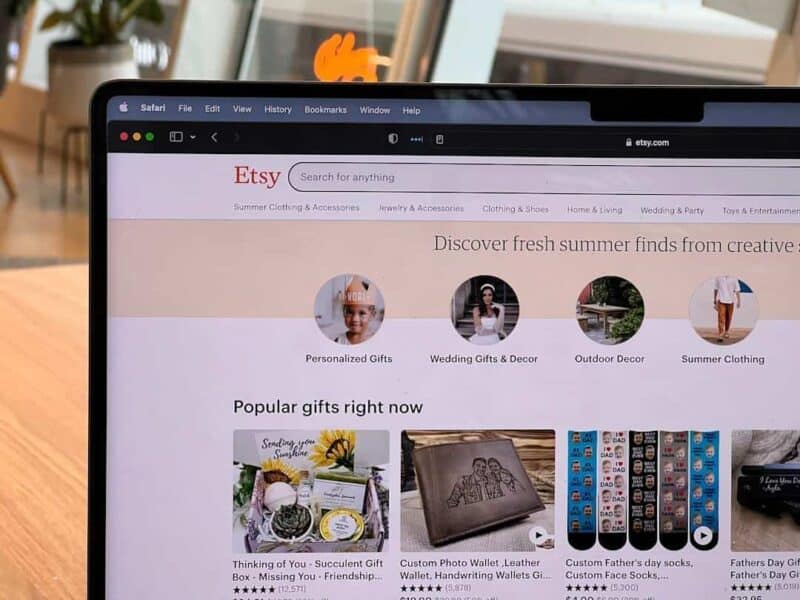
Well, Etsy is an online platform, dedicated to help people sell their crafts and digital products online. It’s popular as the best place to buy unique, handmade, and vintage items. And this place is often the first place where online market sellers go to sell stuff.
Etsy is a preferred online marketplace for various reasons. And some of them are the following:
- Swarm Of Leads: Etsy gives your store access to shoppers already looking for products. At the end of 2025,the marketplace had 86.5 million active buyers. Reaching just 0.001% of that audience would equal about 865 customers.
- The Right People: People who shop on Etsy value creativity, uniqueness, and quality. If you incorporate these three factors into your products, you can attract most of the customer base.
- Ease Of Use: Can you use social media platforms and websites like Facebook? If so, you can easily use Etsy as well! After a few days or a week, you can start selling and focus on making money from your digital downloads.
- The Profit’s Good: Of course, Etsy is still a business and will take a cut—through listing, transaction, and payment processing fees—from your profit. Thankfully, it’s relatively low compared to other online marketplaces.
- Reach Of A Giant: Etsy isn’t just a US thing! Its customer base and users are located worldwide. If you think your product is too niche in the Americas, someone on the other side of the world will definitely want it!
- The Community’s Supportive: Aside from the internet, you can get help and support from Etsy’s community. The company’s customer service also provides a supportive environment for Etsy sellers, with resources, forums, and tools designed to help you succeed.
- Benefits Of Built-in SEO: You don’t need to worry about SEO or search engine customization (tech stuff you need to know when running a website of your own), keyword tools, or any technical internet stuff. Etsy has already done that for you, which is evident as it leads in search engine results when it comes to online crafts.
Imagine making a sale on the best-selling digital products while sipping your morning coffee—that’s the beauty of passive income. Digital products on Etsy make it achievable. Etsy’s established system handles payments, freeing you from navigating the technicalities of secure transactions.
Step 2: Find Your Niche

A well-defined niche lets you target a specific group with products they’ll love. This not only positions you as a go-to expert in your area but also streamlines your marketing. Avoid being just another face in the crowd. Well, who wants that anyway? So, zero in on a specific niche when learning how to sell digital products on Etsy successfully.
For instance, instead of just naming your planners that you sell ‘printable planners,’ make it more specific and targeted by naming them ‘printable planners for busy moms.’ Or why not ‘printable planners for moms working from home.’
Focusing on a specific niche and naming your products to cater to that niche makes marketing more efficient. You increase your chances of converting visitors into happy buyers, and it gives you clarity when creating digital downloads that your ideal customer can’t resist.
Step 3: Identify Profitable Products
Once you have a specific niche in mind, identify profitable digital products to sell. After browsing Etsy for a while, you’ll get giddy about what to sell. You think of what you can make that there’s a market demand for. What would profit? There’s a lot to think about!
It’s one of the challenges, you see. You need to find the best product you can sell so you can have fun and earn more. Of course, as a challenge, you need some help, so here’s a short list of what you can do:
- Know The Trend: A 2025 study of nearly 200 US retailers found that rising Google search interest could predict higher retail revenue up to three quarters ahead. Use Etsy’s trend reports and Marketplace Insights to spot growing searches, then confirm demand through Google Trends before creating or promoting a product. Trends cannot guarantee sales, so choose ideas that match your niche and add your own style.
- Learn What You’re Good At: This is critically important because it lets you carve out your niche. Are you good at knitting? Then focus on clothes, beanies, and even socks! Don’t just rely heavily on the trends—take advantage of your special skills!
- Check Competitors: Once you know what trend or niche you’ll focus on, it’s time to take a gander at your competitors! Know their prices and if you’re better than them. Also, research if there’s a particular gap or products they can’t provide that you can. Maybe there’s a need for downloadable planners in a specific design aesthetic or Etsy printables covering a topic nobody’s tackled yet.
- Choose Evergreen Products: While I asked you to check on trends, try your best not to get into fads. As much as possible, choose a product that will never go out of style or fashion. It can keep you afloat and stable if your product hits!
- Crunch Numbers: Once you have an idea of what to sell, it’s time to know if it’s worth making and selling. Take some time to create a spreadsheet and list how much money you can make selling it. Etsy can eat up your sales if you don’t price them right, but you can gain a large amount if your sales are more than the fees you pay to Etsy.
Now, you’ve decided on a product you think is profitable. How can you test if they will make a killing on the market? Well, you can do that by conducting surveys, seeking feedback, and tracking your sales. If the product doesn’t work, try another one or tweak your marketing strategies.
Step 4: Create Quality Products

In 2025, 52% of surveyed consumers said they stopped buying from a brand after a bad experience with its products or services. To prevent that from happening to you and your future customers, be sure to test every file, fix errors, and ensure your product delivers what your listing promises. Having high quality products can lead to better reviews and give customers a reason to return.
If you need help in this aspect, here is some advice I can give:
- Get The Right Tools: Spend some cash on professional premium tools to develop your digital products. Some of them are Adobe Creative Cloud All Apps (containing Adobe Photoshop, Adobe Illustrator, etc.), Canva, or Procreate. to help you craft polished products. You can also find many helpful tools on Amazon to create digital products or DIY projects.
- Focus On Quality: Products have specific characteristics that make them high-quality. High-resolution prints are good, and good yarn makes knits stand out. Know the specific quality that makes your product high-quality, and focus on it.
- Be Precise: It’s critical to give your products good copy to let buyers know they’re made with care and attention. This means no grammar mistakes, clear instructions, and well-defined features and benefits. Also, remember to include high-quality images and mockups, if applicable.
Continuously test different aspects of your products and listings, such as pricing, keywords, and design variations. Mix and match different numbers based on your product’s performance and customer reception.
Step 5: Launch Your Digital Store
Go to Etsy’s website and click on the ‘Sell on Etsy’ option to start your Etsy journey. Select ‘Open Your Etsy Shop’ and provide your chosen shop preferences, like your language, the shop’s location, and currency settings.
Then, give your store a memorable name. Choose one that’s easy to remember, hints at your products, and sets the overall tone you want customers to feel. Craft a short bio in the shop description that highlights your passion and showcases your unique style.
Step 6: Set Up Your Listings

I understand that you’re full of ideas now, and it’s getting exciting, right? Well, before people can buy your products, you need to list them. Here are steps that you need to take:
- Add Listings: Navigate to the Etsy homepage and log in to your account. Then, click on ‘Shop Manager’ at the top right corner of the screen. Lastly, select ‘Listings’ from the sidebar, then click the ‘Add a listing’ button.
- Upload High-Res Images: Again, don’t forget to upload clear and high-quality images for your listing! Etsy recommends using photos that are at least 2,000 pixels wide. Also, try to show different angles and consider including videos as well.
- Write Compelling Titles: Ever wonder why product titles on Amazon are long? That’s because it’s effective to add descriptive keywords. However, remember to make the title easy to read and clear, highlighting Etsy keywords to reach your target customers.
- Write Good Descriptions: There are three core elements for a good description. They are key features, usage, and instructions. Be sure to include them, and be as detailed as you can using relevant keywords.
- Set Prices: Of course, don’t forget the price! Remember what I said in the earlier sections—research competitors and consider the price value of your product. Adjust later if needed!
- Select Appropriate Tags and Categories: Aside from the keywords, be sure to select the appropriate tags to make it easier for the site to categorize you and for people to find you.
- Upload The Digital Files: This is the right time to upload them. Do note that you can only upload up to five digital files per listing. Also, ensure you’re using the correct file types and that they’re easily downloadable.
- Set Up Automatic Renewal: Depending on your product, you can set up automatic renewal. Choose renewal if you’re selling digital files. Manual renewals are often for physical products. Remember that Etsy charges a small fee for each renewal.
- Publish The Listings: Before you do so, review everything. Once everything is okay, hit Publish. You’re good to go and wait for people to buy your product!
By the way, Etsy only allows 13 tags on each of your product listings, so choose them carefully. Moreover, when creating descriptions that hook the reader, use a conversational tone. Talk to your customers as if you’re chatting in person. Focus on benefits, weaving in keywords throughout your descriptions.
Step 7: Market Your Products

One of the most critical steps on how to sell digital products on Etsy is to market your store or product. You’ve poured your creativity into crafting digital products, but that’s only half the battle. It’s time to focus on marketing, which can make or break your online business.
A 2025 study of about 2,000 e-commerce retailers found that using several social platforms increased total web sales by 2% to 5%. For a store earning $10,000 monthly, that could mean another $200 to $500 in sales.
Thankfully, many powerful strategies are available. First is social media. Consider sharing your listings across your accounts. If it makes sense for you, even start a separate business account or page devoted solely to your digital products.
Be sure to engage with your audience, answer questions, and show there’s a real person behind your curated digital goods. You can also consider experimenting with Etsy Ads once you’ve gained a feel for what resonates with your audience. These can boost your listings to the top of search results, increasing visibility.
Etsy Ads help your products reach those who might have otherwise missed them. Participating in the Etsy marketplace takes time, but it can be very worthwhile if you have in-demand digital products.
Afterwards, be sure to do the following:
- Take high-quality photos of your products that capture their unique selling propositions.
- Offer discounts to attract your first few customers.
- Encourage word of mouth marketing. It goes a long way, especially for Etsy entrepreneurs.
- Participate in Etsy Teams that are relevant to your niche and contribute meaningfully. This is a fantastic way to network.
- Aim for Star Seller status. Nothing screams trustworthiness quite like getting the official Etsy nod of approval.
Once you do those, proceed with email marketing. Start building your email list from day one. Offering a discount code for first-time shoppers is a great way to incentivize signups. Once your list is up and running, you can share information about upcoming sales or exciting product launches.
This allows you to cultivate a relationship with your ideal customer. Don’t stop at static images. Consider incorporating lifestyle photos that show your digital products in action.
Step 8: Manage Orders

With a listing on Etsy, you get to enjoy having to manage orders and providing customer service to those who need it. It can be a tough job at first, but in due time, it’ll become second nature to you.
Nonetheless, if this will be your first time doing these tasks, be sure to be:
- Consistent: Check your orders daily and be optimistic that someone will buy from you! Also, make sure to check your email for notifications about new orders and customer messages.
- Prompt: Whether it’s an order or a customer support request, be prompt. Every minute counts, and every hour of delay results in a bad rep and loss of business.
- Responsive: Always maintain a friendly, professional tone in all communications, and ensure issues are resolved. If you can’t do this, hire someone offshore or an intern to do it for you.
- Amenable: If you can, encourage satisfied customers to leave positive reviews. And, of course, on the flip side, respond to negative feedback constructively. Apologize for any inconvenience and offer solutions to make things right.
- Supportive: Beyond support calls and messages, you need to support your customer in other ways—likely through content. For example, take advantage of frequently asked questions (FAQs) sections. This can help customers get all the information they need, especially if your product is digital.
- Diligent: Etsy has analytics tools to help you track the performance of your listings and identify trends. Monitor the changes and react appropriately. Also, be sure to pay attention to customer feedback to improve your products and service.
- Updated: Lastly, keep your listings updated. If information changes about your product, update the listings. And keep posting new products if you have any to keep your shop fresh and engaging.
Step 9: Scale Your Business
Selling on Etsy is fun and challenging so far, isn’t it? However, starting to scale is when everything gets serious and difficult fast. If you’re unfamiliar, scaling involves expanding your reach, increasing sales, and optimizing your operations. And you can easily get stuck with any of these operations.
To avoid having troubles as you scale, do these three things:
- Optimize Your Product Listings: Learn SEO (Search Engine Optimization). Although I say that Etsy is doing this behind the scenes, when you scale, you need to learn and apply it as well. Start by continuously refining your product titles, descriptions, and tags with relevant keywords to improve visibility in Etsy search results. Also, be familiar with and use tools like Marmalead or eRank to discover trending keywords in your niche.
- Streamline Operations: As your business grows, you’ll need people to help you. You can begin by outsourcing tedious tasks like graphic design, customer service, and social media management so you can prioritize essential business and manufacturing/product creation. If you’re a bit tech-savvy, look into automation tools. They can handle repetitive tasks like order fulfillment, customer inquiries, and social media posting. Apps like Zapier can help you automate workflows and save time.
- Build A Strong Brand: Since you’re at the point where you want to scale, you need to build a strong brand. Remember that a consistent, strong brand identity across all platforms can help you solidify your business presence. Start by using the same logo, color scheme, and voice in your communications and products.
Also, never forget to improve your customer experience. Providing excellent customer service is critical to building a loyal customer base. As mentioned, be sure to respond promptly to inquiries, address concerns, and go the extra mile to exceed customer expectations.
Conclusion
That’s it! These are the steps for successfully selling digital products on Etsy. The digital age allows anyone, regardless of location, to connect with millions of customers. Whether you dream of becoming a six-figure Etsy seller, crave freedom, or wish for a fulfilling creative outlet, learning how to sell digital products on Etsy remains one of the most accessible paths toward achieving this.
You can even list your digital products completely free. Just remember that your Etsy digital products won’t sell themselves. Thus, consider following the steps listed above!
Sources
- Etsy. (2026). Etsy reports fourth quarter and full year 2025 results. https://investors.etsy.com/news-events/press-releases/detail/218/etsy-inc-reports-fourth-quarter-and-full-year-2025-results
- Rice Business. (2025). Google Search Trends can predict retail sales. https://business.rice.edu/wisdom/forecasting-retail-sales-just-got-smarter-thanks-google-searches
- PwC. (2025). The loyalty illusion: Why companies think they’re winning when customers are walking away. https://www.pwc.com/us/en/services/consulting/commercial-excellence/library/2025-customer-experience-survey.html
- SSRN. (2025). Impact of multi-platform social media strategy on sales in e-commerce. https://papers.ssrn.com/sol3/papers.cfm?abstract_id=5171268