

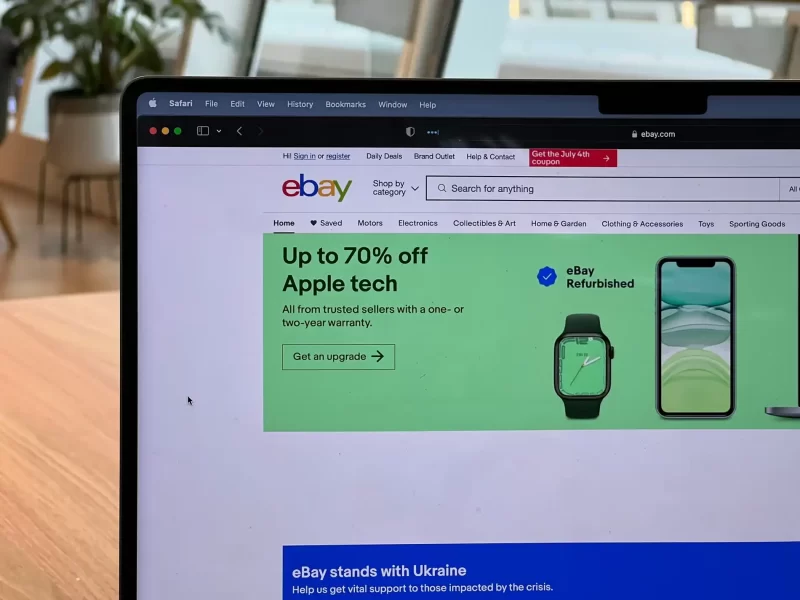
Selling on eBay or online is one of the best ways to earn passive income. That’s right, but it requires grit and the know-how. That’s why it would be best to learn how to sell on eBay before you start posting trending eBay products on it.
eBay gives sellers access to a large global marketplace. eBay lists 136 million active buyers worldwide and about 2.5 billion live listings, while its 2025 gross merchandise volume (GMV) reached $79.6 billion. A very attractive reason to get started.
Anyway, once you know the basics, selling on eBay is actually pretty simple and lucrative! Keep reading, as this guide on how to sell on eBay will help you set up an account and the best practices I use for listings that sell. Let’s get started!

Step 1: Create An eBay Account
Let’s start this guide on selling on eBay by creating an account. If you already have one, you can skip this step. If not, head over to the eBay website and click the ‘Register’ button in the top-left corner of the page.
Start by entering the essentials. Once you’ve filled out the registration form, simply click ‘Create account,’ and you’re ready to go.
Step 2: Set Up Your Seller Account
Now that you have an eBay account, it’s time to set up your seller account. To do this, click on the ‘Sell’ button at the top of any eBay page. You’ll be taken to a page where you can choose what type of seller you want to be. If you’re just starting out, I recommend selecting the ‘Private’ option in the dropdown menu. This means that you’ll be selling as an individual rather than a business.
Once done, it’s time for some particulars: your payment preference and delivery address are next on our list! eBay requires all sellers to have a valid payment method on file, so make sure you have a credit card or PayPal account handy.
Step 3: Create Your First Listing

Now comes the fun part: listing items. To get started, click on the ‘Sell’ button at the top of any eBay page and select ‘List an item.’ You’ll be taken to a page, more like a seller hub, where you can enter item specifics.
List all the information about the item you’re selling, like the title, description, price, and shipping details. Adding clear, high-quality images to your item’s listing boosts interest. Watch as those view counts and offers start rolling in!
When it comes to pricing your item, do some research to see what similar items are selling for on eBay. You don’t want to set prices too high and risk not getting any bids, but you also don’t want a final sale price that’s too low and leaves money on the table.
Once you’ve filled out all the item specifics, click ‘List it,’ and your item will go live on eBay.
Step 4: Manage Your :isting
Just because your item is live on eBay doesn’t mean your work is done. Want to see more views and potential bids rolling in? Stay proactive in managing your listing.
Why not try your listing with savvy promotions across different internet channels like Instagram or Facebook? You don’t have a selling limit on social media platforms, so use them to your advantage. Entice eager shoppers to place their bids by offering a few cleverly crafted promotions or money-saving deals!
Another is to address any questions or concerns from potential buyers quickly—eBay customer support practices this, too. And this works because top-notch customer service on eBay helps ensure rapport, resulting in winning over customers and boosting sales rates.
Step 5: Optimize Your Listings On eBay
Remember SEO? This is where you have to ensure that your listing set reaches the right audience and, of course, converts them into sales. Here’s a step-by-step guide to help you:
Use Effective Titles: Your title is the first thing potential buyers see. Make sure it’s not only descriptive but also contains relevant keywords that buyers might use in their eBay search. Avoid unnecessary adjectives and stick to the facts and title characters: brand, item condition, size, color, model number, etc.
Write Detailed Descriptions: The main content of your description gives you an opportunity to provide more detailed information about the item. Include the item’s features, specifications, and benefits, always keeping your target audience in mind.
Upload Quality Photos: A marketplace study of about 75,000 secondhand product images found that better photo quality was linked to a higher chance of an item being sold and stronger buyer trust. Provide multiple images from different angles to give your audience a better perspective on the product. Highlight special features or defects, too.
Although I thought success on eBay would come overnight, I learned the hard way. What works is to pay attention to tips on how to sell on eBay.
Step 6: Ship your item
Once my item sells, I ship it to the buyer. I package my item securely and include any necessary tracking information. You can choose your shipping strategy at eBay. But I always opt for a simple flat rate or get a price tailored to the buyer’s location, which makes the most sense for your item and budget.
Moreover, having shipping insurance when dealing with pricey items is worth the extra security. Doing this ensures your item is delivered undamaged and covers you if any mishaps occur en route.
Besides, having shipping insurance helps me accept customer returns, but I am always subject to a returns policy. Even eBay recommends this to prevent loss of revenue.
Step 7: Leave feedback

After the item has been delivered and the transaction is complete, I will make sure to leave feedback for the buyer. Enhancing my status as a dependable seller on eBay starts with this step.
Depending on your experience with the buyer, you can leave positive, neutral, or negative feedback. Remember, buyers can also leave eBay feedback, so maintaining excellent customer support during the selling process is crucial.
Step 8: Get To Know eBay Better
Don’t just focus on selling—learn the key details that help you avoid costly mistakes. Here are the essentials:
- eBay charges two main types of fees: insertion fees and final value fees. Insertion (listing) fees are charged when you create a listing and vary by category and format. For most categories, it’s $0.35 per listing. Final value fees are charged when your item sells and are a percentage of the total sale price, including shipping and handling. For most categories, there is a 13.25% final value fee, capped at $7,500 per item.
- One major advantage of eBay is its scale. With over 180 million active users, sellers can reach a global audience. eBay also offers flexibility—whether you’re selling a few personal items or running a full-time business.
- When it comes to shipping, your options depend on your listing setup: free shipping, flat-rate shipping, or calculated shipping. Free shipping can boost sales if your items are inexpensive and easy to mail—just factor shipping costs into your item price. Flat-rate shipping is best for items with similar size and weight. Calculated shipping adjusts costs based on the buyer’s location and your item’s size and weight, making it ideal for varied inventory or print-on-demand prints.
Don’t forget these!
Conclusion
And there you have it! An easy step-by-step guide on how to sell on eBay. Naturally, learning never stops, but when I started creating my eBay store with these essential tips from experts, I set my journey off smoothly.
Remember that mastering how to sell on eBay is a journey that takes both time to develop skills and energy to stay active. Don’t get discouraged if your first few listings don’t sell right away. Although it can take a little time, I went back to refining my listing optimization strategy and learning from my mistakes. This made me even better, and I aim to be a pro eBay seller in no time.
So what are you waiting for? Get out there and start selling on eBay today!
Sources
- Photo: Unsplash: Oberon Copeland
- eBay Inc. (2026). Fast facts. https://investors.ebayinc.com/fast-facts/default.aspx
- PR Newswire. (2026). eBay Inc. reports fourth quarter and full year 2025 results. https://www.prnewswire.com/news-releases/ebay-inc-reports-fourth-quarter-and-full-year-2025-results-302691954.html
- arXiv. (2018). Understanding image quality and trust in peer-to-peer marketplaces. https://arxiv.org/abs/1811.10648
AMZScout. (2025). eBay selling fees: How much, types, how to calculate. https://amzscout.net/blog/ebay-selling-fees/- eBay. (n.d.). Understanding selling fees. https://www.ebay.com/sellercenter/selling/start-selling-on-ebay/seller-fees