


If your tasks are all over the place and you keep forgetting what’s next, you’re not alone. In this post, I’ll introduce you to the Kanban Method—a simple visual system that helps you organize your work, track progress, and save time. Let’s get started!
What Is The Kanban Method
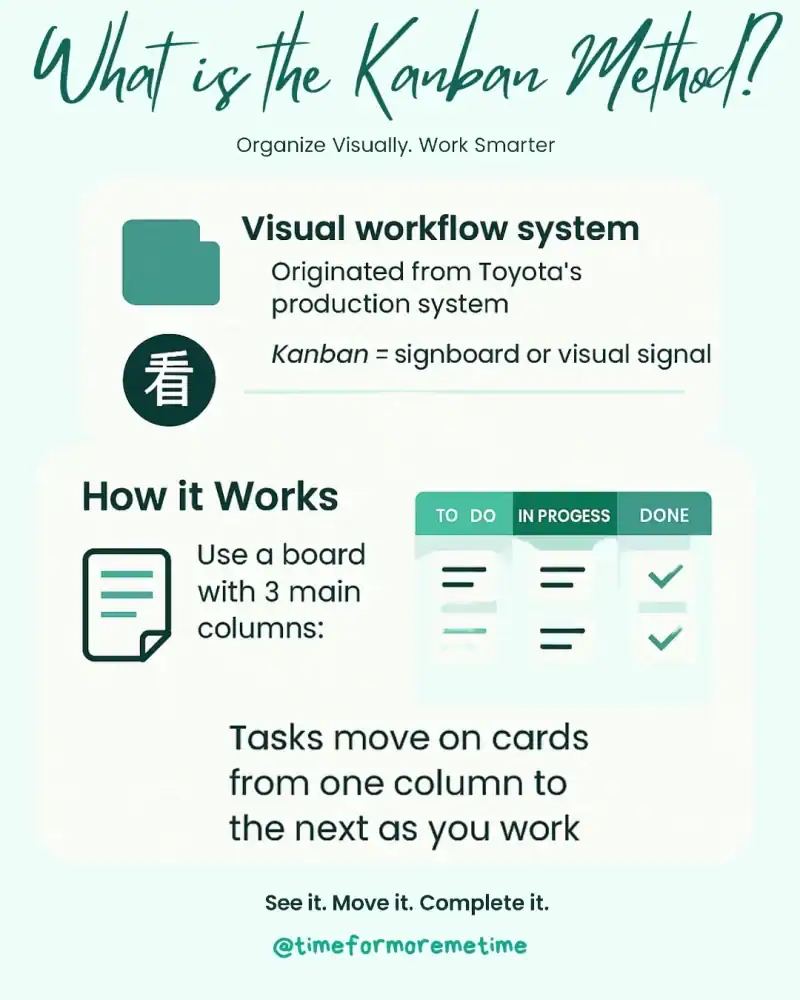
Kanban is a visual workflow tool designed to help you manage tasks by displaying them at various stages, from start to finish. It originated in the 1940s as part of Toyota’s production system and has since been adapted for project management, software development, and personal productivity.
Kanban is a Japanese term that literally means sign (kan) and board (ban). It can also be understood as “visual signal” or simply card.
Kanban involves using a physical or digital board divided into columns, typically labeled To-Do, In Progress, and Done. This board is commonly referred to as a Kanban board. Each task is written on a card, which is then moved across the board as it progresses through your workflow.
The main goal of Kanban is to help you stay organized, complete tasks efficiently, and prevent feeling overwhelmed by too many open tasks. It is especially useful for those who struggle with prioritizing or feel stuck managing multiple tasks without a clear sense of progress.
Why Should You Use Kanban
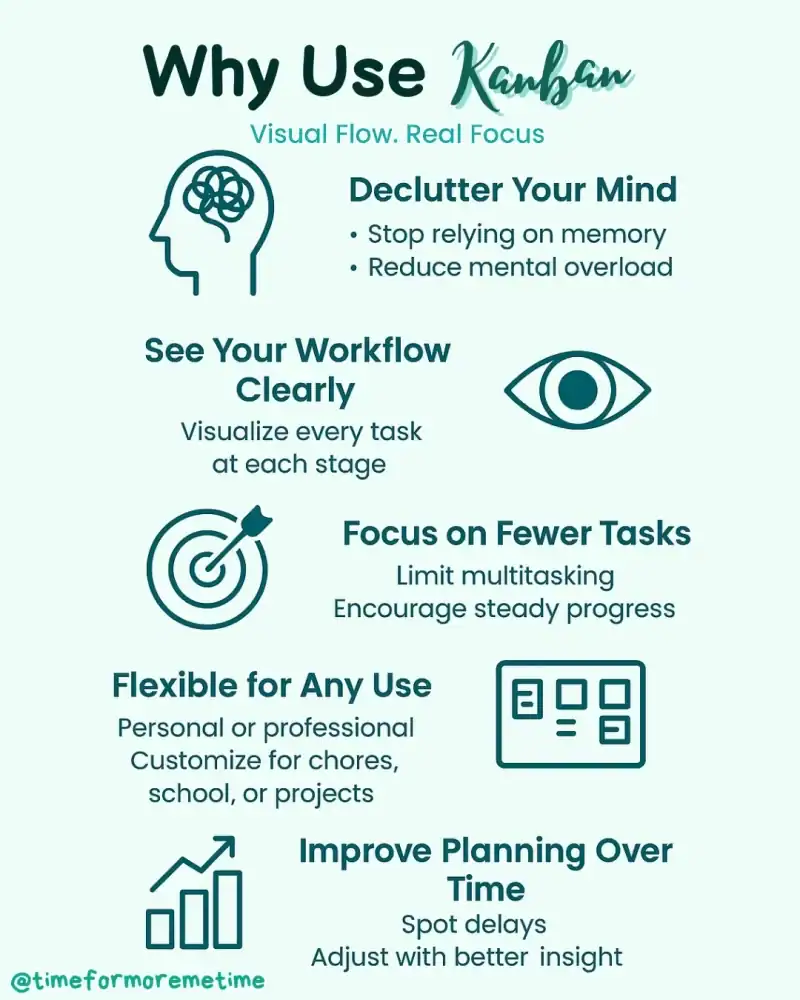
Kanban offers a clear overview of your workload, making it ideal for those overwhelmed by messy to-do lists. It presents tasks visually, reducing the need to rely on memory and minimizing the mental clutter of multitasking.
By limiting the number of tasks you work on simultaneously, Kanban encourages focus and steady progress, leading to a more manageable workflow. It is also flexible for both personal and professional use, allowing you to customize your board for household chores, client projects, or schoolwork without complicating your system.
Over time, Kanban helps you identify patterns in task delays and time consumption, enabling better planning and decision-making.
How To Start Using Kanban
You can begin using the Kanban Method with a whiteboard, sticky notes, or a digital tool like Trello, Notion, or ClickUp. Here’s how to get started:
- Set Up Your Board: Create a simple visual layout with three basic columns—To Do, In Progress, and Done. This structure forms the foundation of your workflow.
- List Your Tasks: Write down all your tasks, using one card or sticky note per item. Break larger tasks into smaller, specific actions for better clarity.
- Move Tasks into the To-Do Column: Place all your upcoming tasks into the To Do column. This helps you see what needs to be done without feeling overwhelmed.
- Limit Work in Progress: Only move a few tasks at a time into the In Progress column. This prevents multitasking and keeps your focus sharp.
- Update Your Board Daily: As you complete tasks, move them to the Done column. Review your board at the end of each day to track progress and adjust your priorities for tomorrow.
By following these five simple steps, you’ll create a system that not only tracks your tasks but also builds momentum as you see them move across the board. The visual progress keeps you motivated, and the daily updates help you stay grounded in what matters most.
What Are The Drawbacks Of Kanban
While the Kanban is simple and effective, it’s not without its challenges—especially for beginners. Like any system, it can lose its impact if misused or overcomplicated. Below are some common drawbacks to be aware of when getting started:
- Too Many Tasks in the To-Do Column: Without limits, your board can quickly become cluttered and overwhelming. It’s essential to regularly review and prioritize your tasks so the board stays manageable and useful.
- Lack of Deadlines: Kanban focuses on visual progress, but it doesn’t naturally highlight due dates. If you’re managing time-sensitive work, you’ll need to add reminders or integrate a calendar system to stay on track.
- Getting Stuck in the In Progress Column: One of the most common pitfalls is starting too many tasks without completing them. Limiting how many cards you move into the In-Progress column helps you maintain focus and finish what you start.
- Over-customization: While customization can be helpful, adding too many columns, labels, or rules can make the system harder to maintain. Simplicity is key, especially in the beginning.
- Low Motivation from Remaining Old Tasks: When tasks linger on the board for too long, they become easy to ignore or feel discouraging. Make it a habit to clean up old tasks and regularly refresh your To Do list.
Understanding these potential issues will help you get the most out of Kanban. By staying aware of these common traps, you can build a board that’s both productive and sustainable over time.
Conclusion
The Kanban is a simple, visual approach to organizing tasks and tracking progress, eliminating the stress of over planning. It’s flexible, beginner-friendly, and a great time management tool for both personal and professional life. And when you do it right, it can help you become more productive and efficient, which allows you to save time.
To receive more helpful tips, subscribe to our blog, follow us on social media, and visit our YouTube channel for engaging and insightful videos.
Sources
- Photos: Unsplash: Parabol